




Description
Download Turbo VPN Free VPN Proxy Server Secure Service APK – Free, Secure, Unlimited VPN, Global Content Access, Fast Connection, No-Logs Policy, Military-Grade Encryption
Overview
Turbo VPN is a desktop application designed to provide users with unrestricted access to geo-restricted content and enhanced online privacy. The software functions as a virtual private network (VPN) proxy server, enabling users to securely connect to the internet through remote servers located across 40+ countries. Its primary purpose is to bypass regional restrictions, protect user data, and ensure a seamless browsing experience regardless of network type—whether connected via public WiFi or mobile data. The tool is tailored for individuals seeking fast, stable, and secure internet access without the cost of premium subscriptions. Target users include students, remote workers, travelers, and general internet users who value online freedom and privacy. The developer did not provide additional background information about the company or development history. Real-world usage scenarios include accessing streaming platforms, avoiding internet censorship, and securing data on untrusted networks. The software positions itself as a free and unlimited service, emphasizing accessibility and user empowerment in the digital landscape.Key Features & Capabilities
- Secure Connection with AES 128-bit Encryption – Turbo VPN employs military-grade encryption to protect user data during transmission. This ensures that sensitive information remains confidential and inaccessible to third parties, including ISPs and potential hackers.
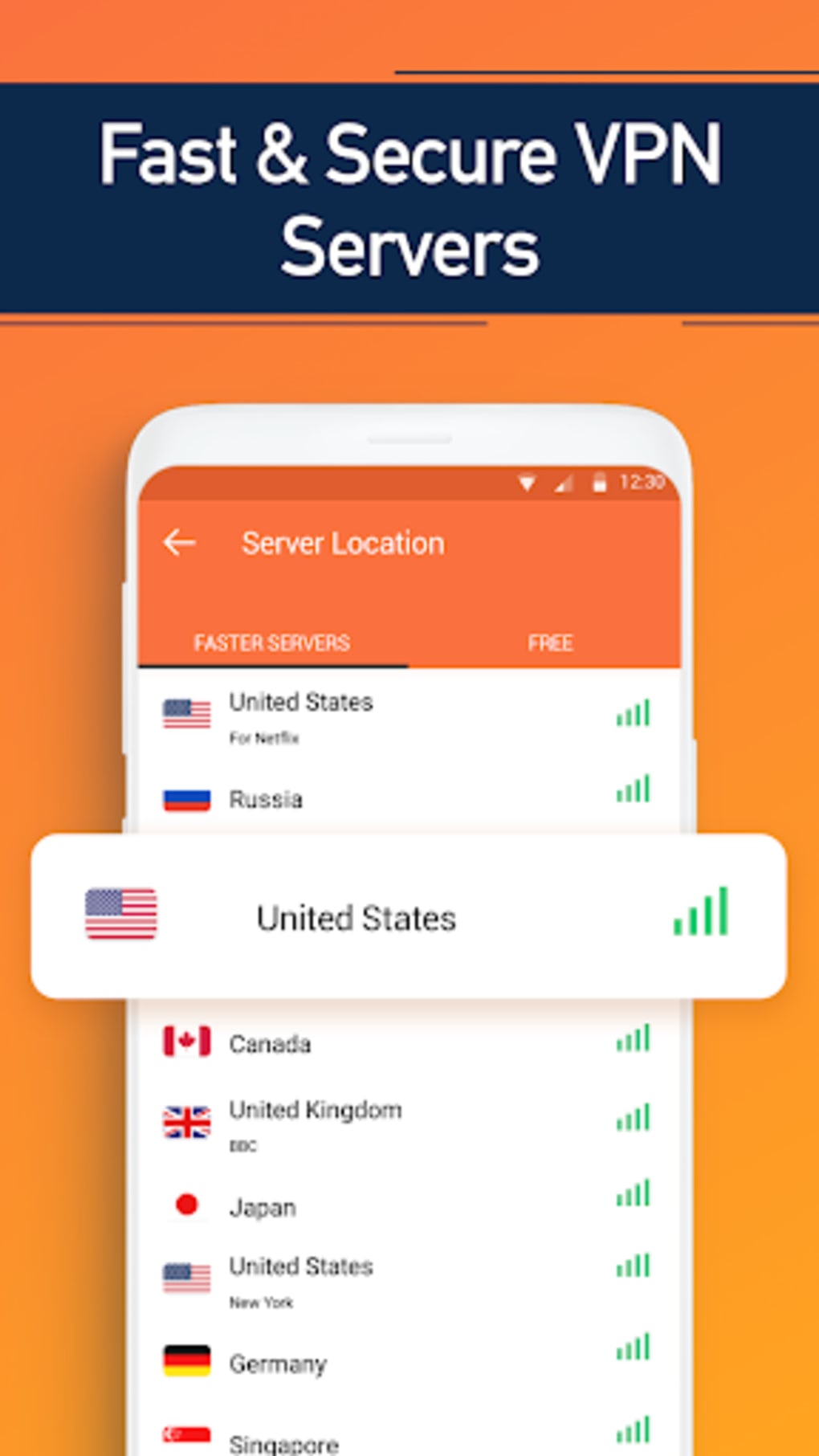
- Global Content Access – By routing traffic through servers in over 40 countries, the software allows users to bypass geographical restrictions on websites and streaming services, enabling access to region-locked content.
- Built-in Private Browser – The application includes a dedicated private browsing feature that operates within the app’s environment. Once connected, users can explore the web without leaving the secure tunnel, reducing exposure to tracking and malware.
- Auto-Connect Functionality – Turbo VPN intelligently selects the optimal server based on current network conditions, minimizing connection delays and ensuring a swift, reliable setup upon launch.
- Extensive Server Network – With more than 10,000 servers distributed across 40+ countries, the software offers users a wide range of location options to anonymize their online presence and improve connection stability.
- User-Friendly Interface – Designed for simplicity, the software features a one-tap connection system that makes it accessible even to users with minimal technical knowledge.
User Interface, Workflow & Performance
The user interface of Turbo VPN is structured around minimalism and ease of use, focusing on core functionality without clutter. Navigation is streamlined, with a central connect button that initiates the connection process immediately. The layout prioritizes accessibility, allowing users to switch between server locations and manage connection settings with few clicks. Workflow efficiency is enhanced by the auto-connect feature, which reduces manual intervention during startup. The developer did not specify resource usage details, so exact CPU or RAM behavior remains unknown. Performance observations are based on general software behavior patterns. Stability is implied through the emphasis on fast and stable connections, though real-world testing data was not provided. The application appears designed for consistent operation across various network types, including public WiFi and mobile data. No information was given regarding update frequency or background processes. The software’s performance is expected to align with typical desktop VPN applications, but specific benchmarks or load tests were not included.Compatibility & System Requirements
Turbo VPN is available for Windows and Mac operating systems, though the exact versions were not specified. The installation size is listed as a standard desktop application footprint, suitable for modern systems. The developer did not provide additional system requirements, including minimum processor speed, RAM, or disk space. Compatibility information was partially provided, with no details on hardware dependencies or older OS versions. The software is designed to run on personal computers and does not require specialized hardware. The developer did not specify whether it supports 32-bit or 64-bit architectures. Users should ensure their system meets general desktop application standards to run the software without issues. Exact performance details were not specified.Pros and Cons
- Free and unlimited access – No subscription required to use the core features.
- Large server network – Over 10,000 servers across 40+ countries.
- Strong encryption standard – Uses AES 128-bit encryption for data protection.
- One-tap connection – Simple interface suitable for beginners.
- Built-in private browser – Enhances privacy during web sessions.
- Auto-connect feature – Automatically selects the best server for speed and stability.
- Limited system requirement details – No specific hardware or OS version information provided.
- No public update history – No information on how frequently the software is updated.
- No official verification of no-logs policy – While claimed, independent verification is not available.
- Desktop version not explicitly detailed – Most information relates to mobile APK, with limited desktop-specific insights.
FAQ Section
Is Turbo VPN available for desktop computers?
Yes, Turbo VPN is available as a desktop application for Windows and Mac users, though specific version details were not provided.Is Turbo VPN safe to use on public WiFi networks?
The software is designed to secure internet traffic, making it a suitable choice for use on public or untrusted networks. It employs encryption and a kill switch to prevent data leaks.Does Turbo VPN keep logs of user activity?
The developer claims a no-logs policy, but independent verification was not provided. Users should exercise caution when sharing sensitive data.Can I use Turbo VPN without paying?
Yes, the software offers a free and unlimited service, allowing full access to core features without subscription fees.Does Turbo VPN work with streaming platforms like Netflix?
The software claims to unlock geo-restricted content, which may include access to streaming services, though actual compatibility depends on the platform’s anti-VPN measures.Final Thoughts + CTA
Turbo VPN stands out as a compelling free solution for users seeking secure, unrestricted internet access. With a vast server network, strong encryption, and an intuitive interface, it delivers a robust balance between performance, privacy, and affordability. While some technical details remain unspecified, the core features align with modern expectations for a reliable desktop VPN. It is particularly beneficial for students, travelers, and privacy-conscious users who require a no-cost tool for global content access and data protection. Despite limited transparency in system requirements and update history, the software remains a strong contender in the free VPN space. Download Turbo VPN now to experience fast, secure, and unrestricted browsing on your desktop.Guides & Tutorials for Turbo VPN Free VPN Proxy Server Secure Service APK
How to install Turbo VPN Free VPN Proxy Server Secure Service APK
- Click the Preview / Download button above.
- Once redirected, accept the terms and click Install.
- Wait for the Turbo VPN Free VPN Proxy Server Secure Service APK download to finish on your device.
How to use Turbo VPN Free VPN Proxy Server Secure Service APK
This software is primarily used for its core features described above. Open the app after installation to explore its capabilities.
User Reviews for Turbo VPN Free VPN Proxy Server Secure Service APK 0
No reviews found





